It reads your players' data over MCP, drives the running game with WebMCP, and Glitchless bots check the fix.
Before the fix
The bug, in fx.js, on every pickup
for (let i = 0; i < CONFETTI_PER_BURST; i++) { // 800
  const geometry = new THREE.SphereGeometry(…);
  const material = new THREE.MeshStandardMaterial(…);
  const piece = new THREE.Mesh(geometry, material);
  piece.castShadow = true;
  scene.add(piece); // never removed
}
Each piece also casts a shadow, so a pickup adds 1,600 draw calls a frame.
Glitchless finding
Critical
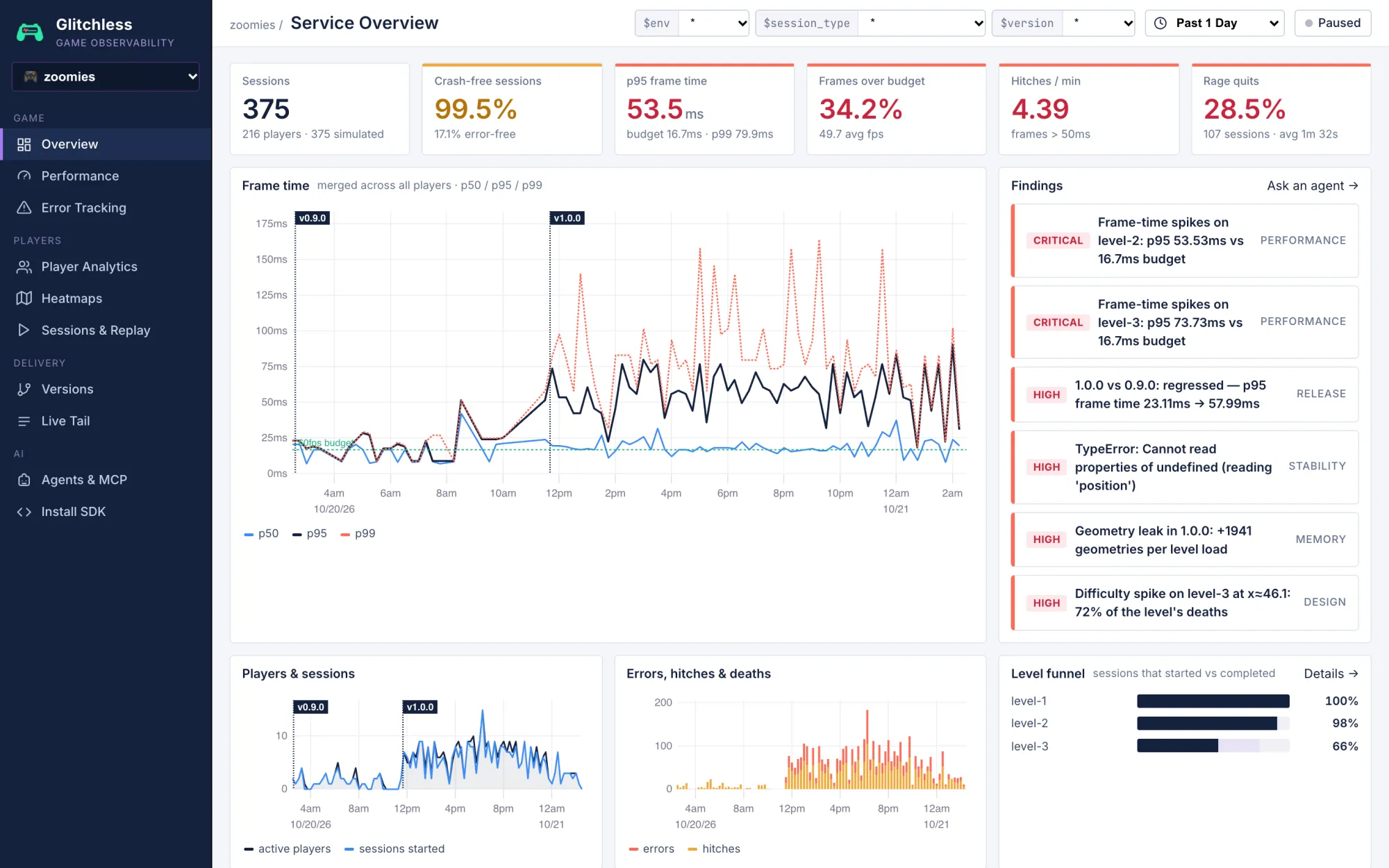
Frame-time spikes on level 2
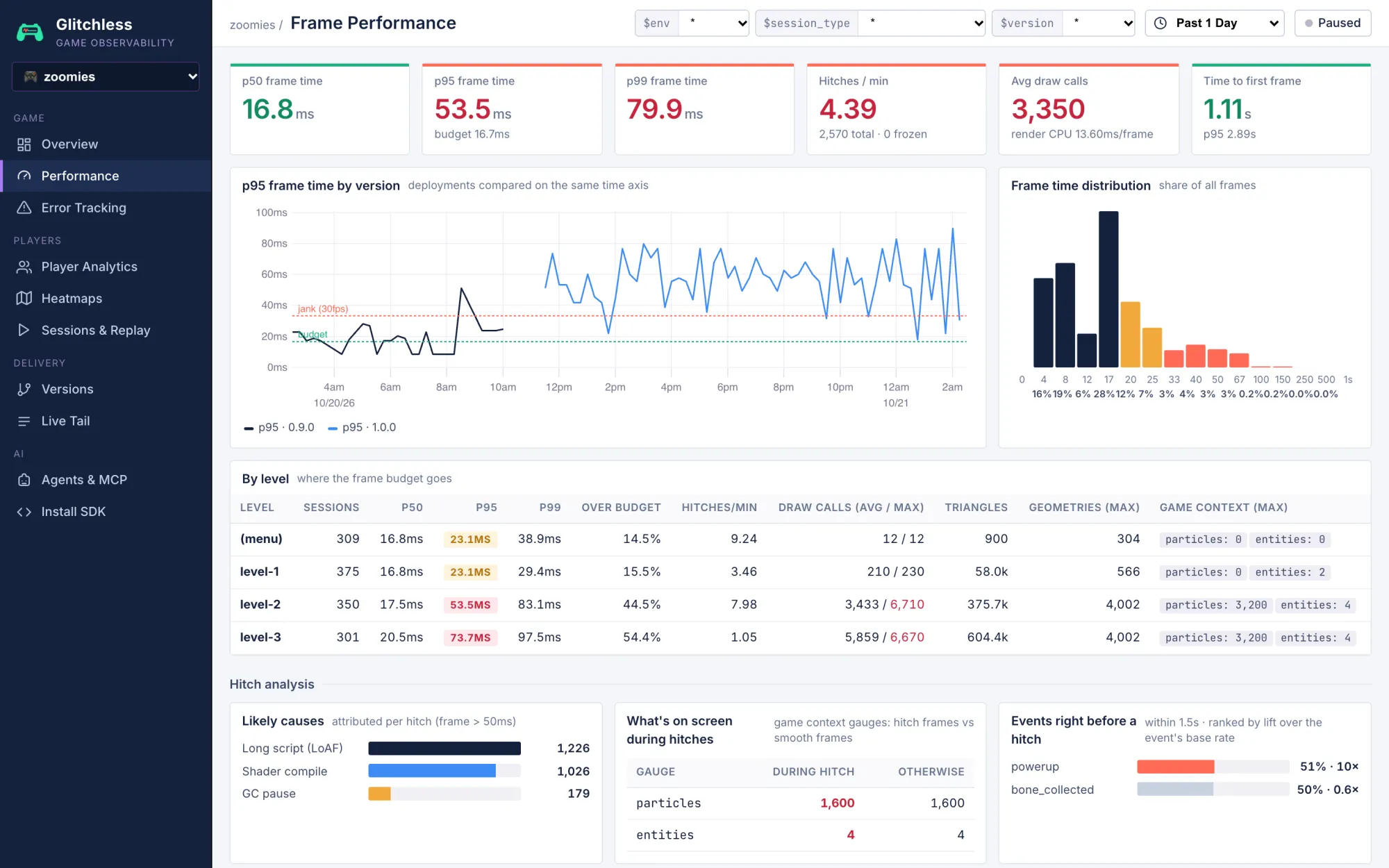
p95 51 ms against a 16.7 ms budget
74% of hitches come within 1.5 s of a powerup
Particles sit at 1,600 and never drop
From frame times on real players' machines, not your own.
WebMCPglitchless_measure()draw calls a frame: 3,494
Editfx.jsone InstancedMesh, pieces reused
Glitchless bots, before and after
Per frame
Before
After
Draw calls
4,652
286
Render time
12.3 ms
1.3 ms
Frame time (p95)
33.1 ms
16.8 ms
Slow frames
6.4%
0.1%
Three bot runs on each build, with the same seeds.
The problem
Vibe-coded games break where you can't see.
You test on one machine. Your players bring every other one.
Your agent debugs it with real data.
An MCP server gives it your players' data. WebMCP lets it drive the running game. Here's Claude Code fixing the bug above.
MCPglitchless_triage()
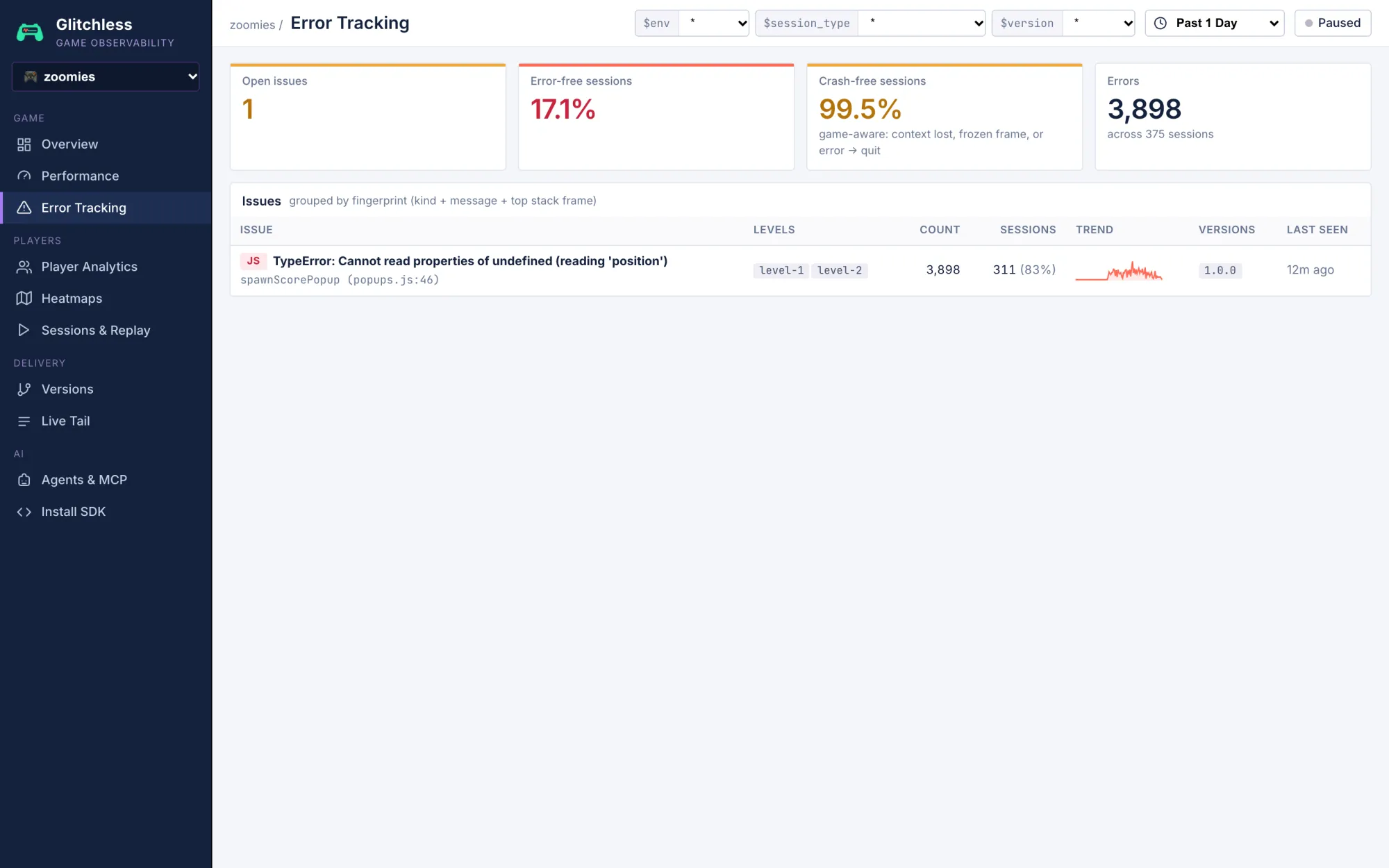
1. [CRITICAL] Frame-time spikes on level-2: p95 51.44ms vs 16.7ms budget
2. [CRITICAL] Frame-time spikes on level-3: p95 70.84ms vs 16.7ms budget
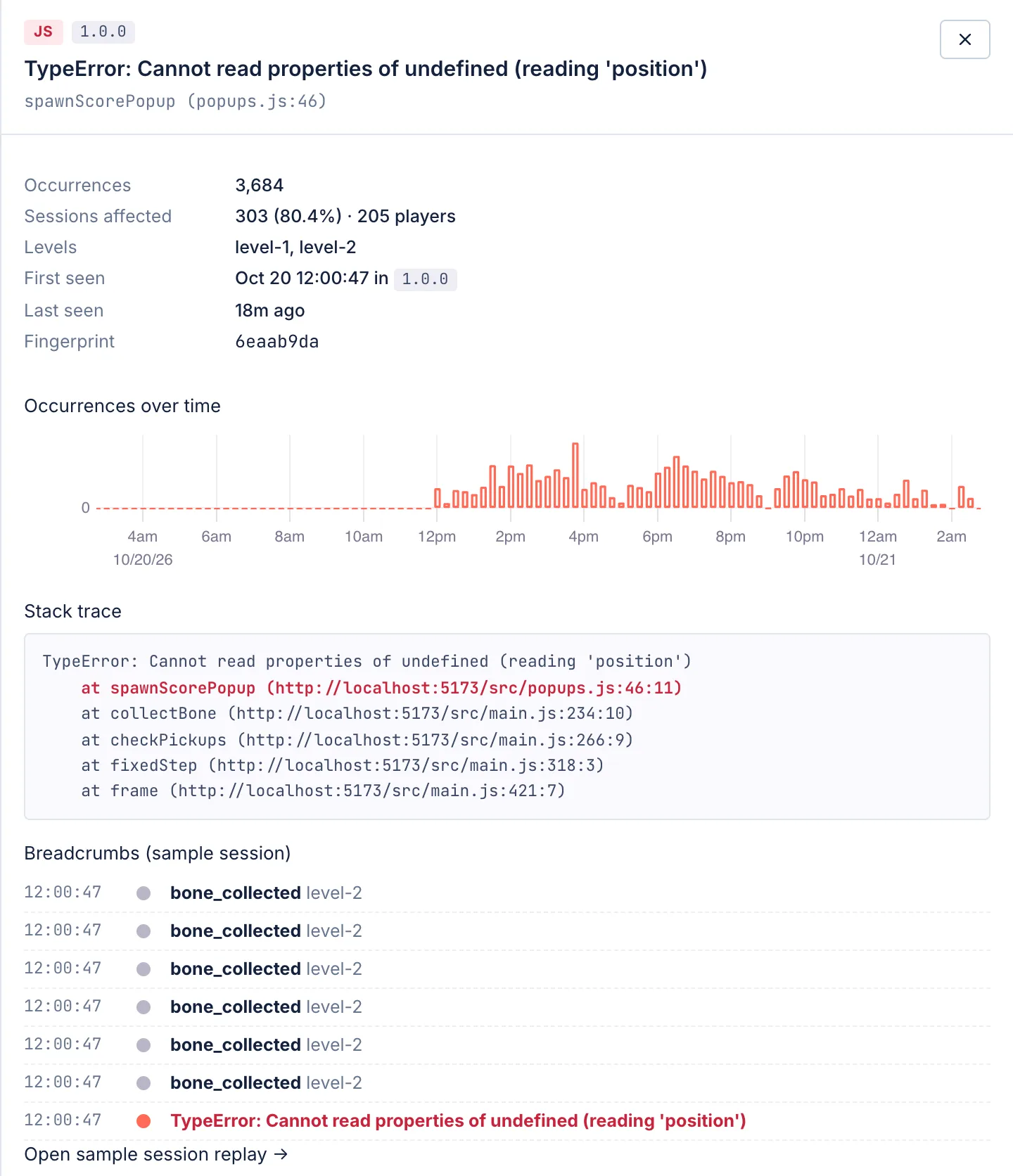
3. [HIGH] TypeError: Cannot read properties of undefined (reading 'position')
4. [HIGH] Difficulty spike on level-3 at x≈46.1: 68% of the level's deaths
74% of hitches came within 1.5s of a powerup, and the particles gauge sat at 1,600.
Confetti is back to 0 and draw calls are at their level baseline.
Draw calls a frame3,494→296
Render time a frame (p95)10 ms→1.3 ms
From a real Claude Code session, trimmed. Tools appear under their current names.
Bots play every change before your players do.
Glitchless bots play the old build and the new one with the same seeds, then compare frame time, draw calls, errors and deaths. If anything gets worse, the check fails and the pull request waits.
Your agent can run them too, with the glitchless_playtest tool.
The confetti fix against the baseline
Pass
Metric
Baseline
Fix
Change
Slow frames (% over budget)
6.4
0.1
−98%
Frame time p95 (ms)
33.12
16.78
−49%
Render CPU per frame (ms)
12.33
1.26
−90%
Draw calls per frame
4,652
286
−94%
Hitches per minute
4.32
1.81
−58%
Deaths per run
2
2
0%
Level completion (%)
100
100
0%
From glitchless-playtest: three autoplay runs on each build of Zoomies, in Chrome on an M3 Max.
See how your game really plays.
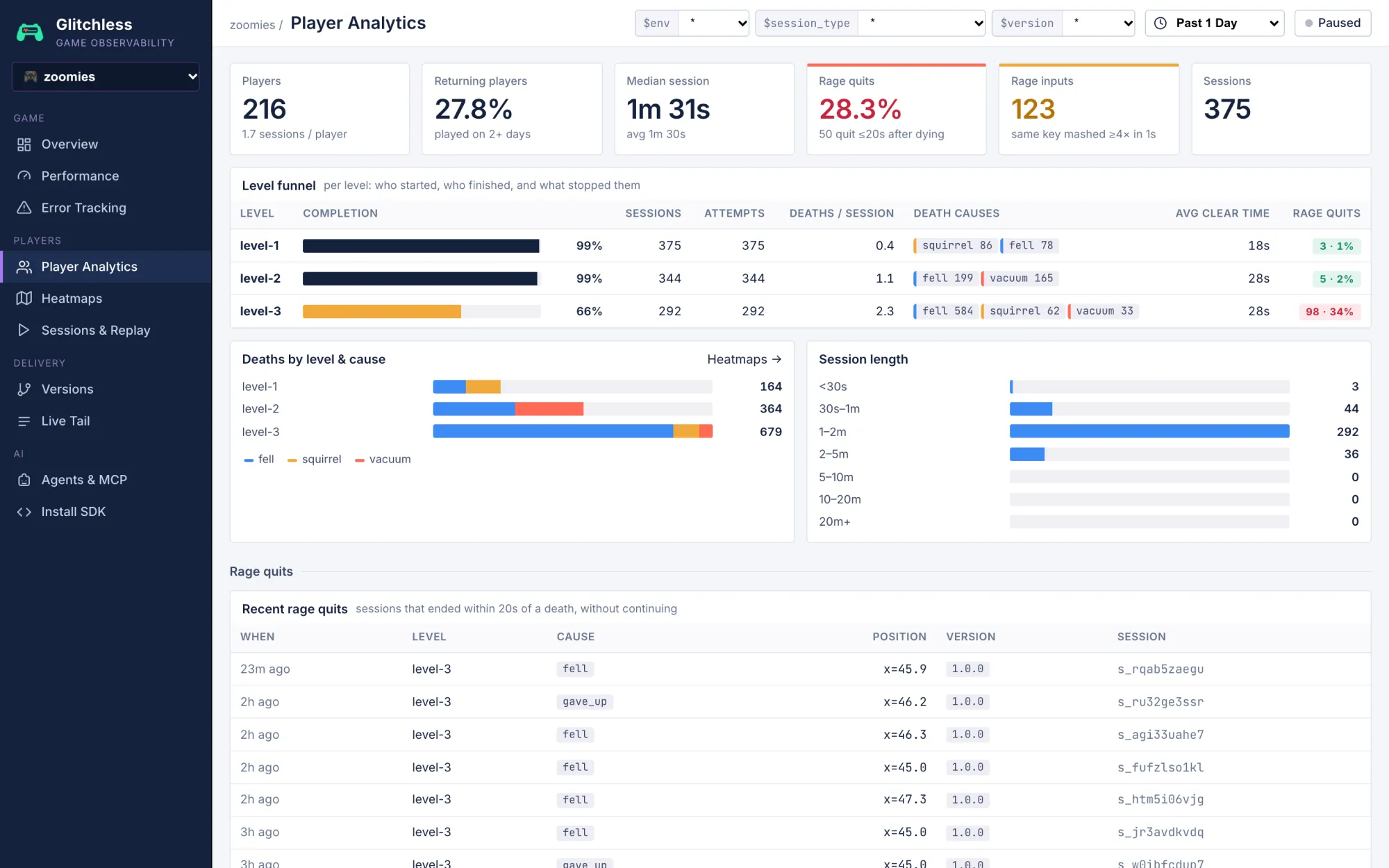
Every play session reports in. Filter by level and release, and see a fix land in the next version.
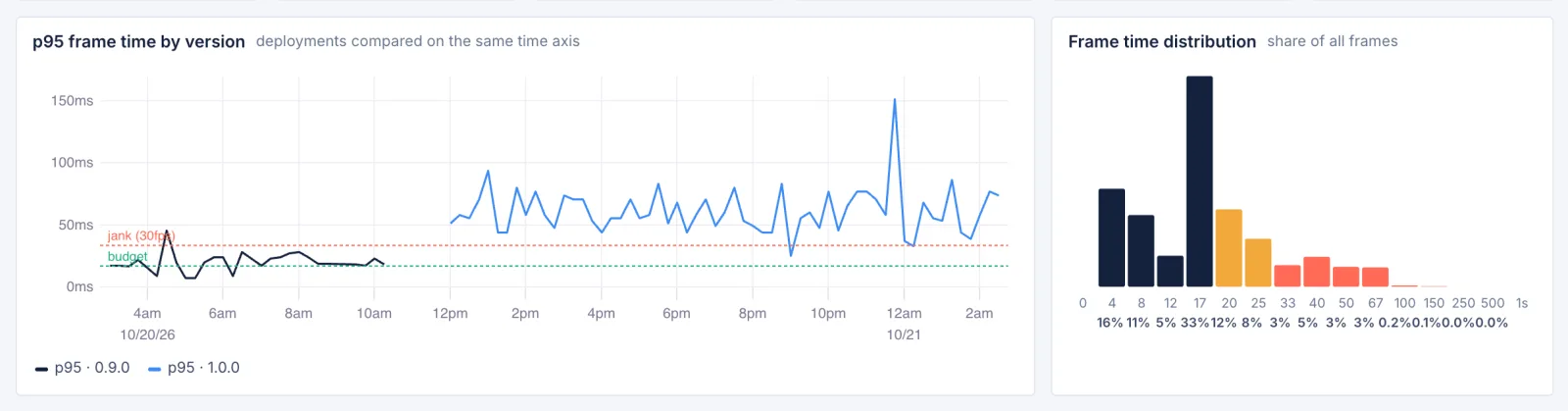
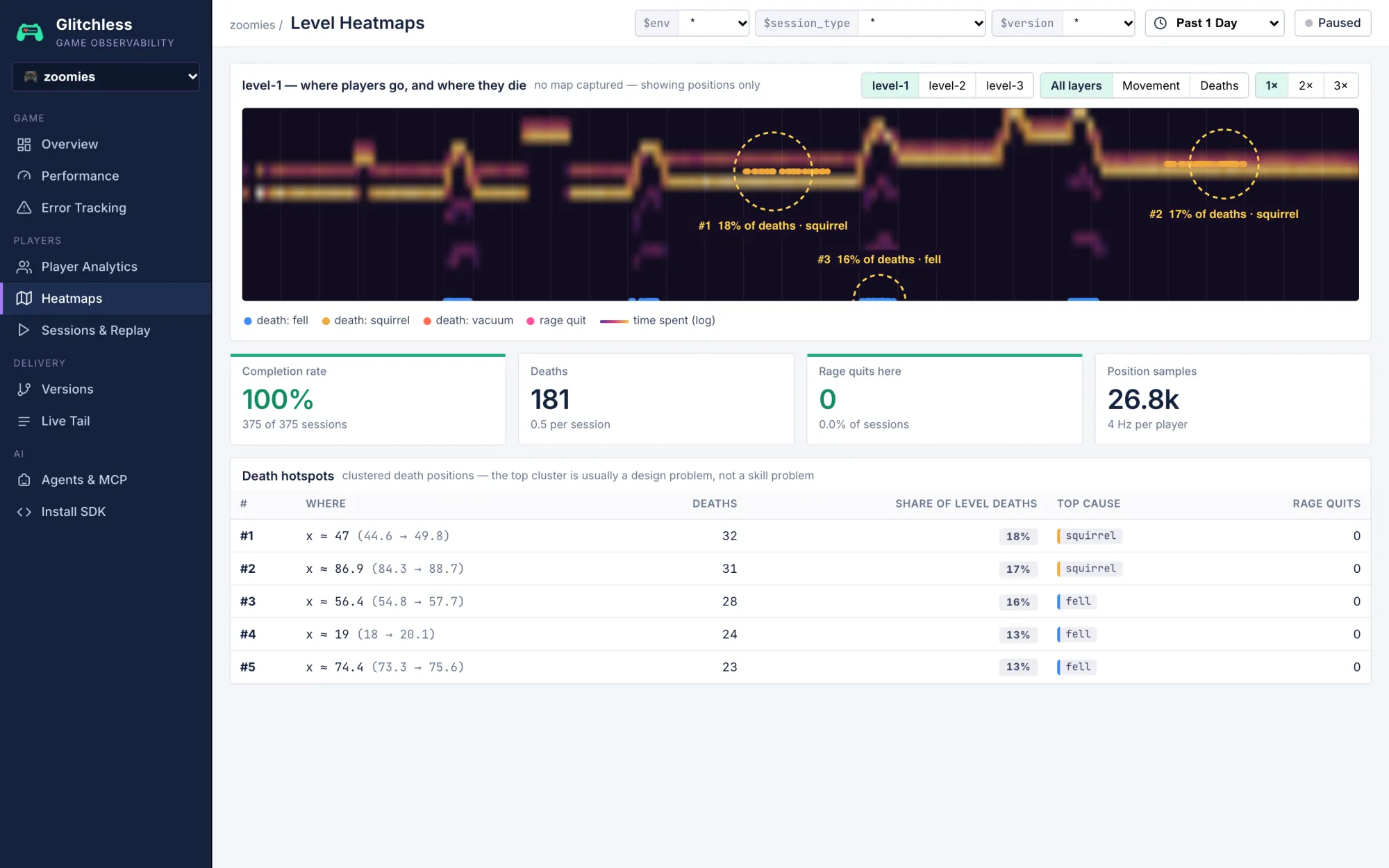
Frame time. Every frame from every player, by level and release, with a likely cause for each hitch.
Paste one prompt.
Your agent clones Glitchless, starts the server, adds the SDK to your game and checks that data arrives.
Setup prompt for any coding agent
Add Glitchless to this game. Glitchless records how the game runs for real players (frame times and stutters, errors, deaths, where they quit) and has an MCP server that lets you, the coding agent, read that data and fix what players hit.

1. Get the Glitchless agent kit, outside this project so it never gets committed:
   git clone --depth 1 https://github.com/glitchless-gg/glitchless ~/.glitchless
   If that folder already exists, run `git -C ~/.glitchless pull` instead.
   If the intake URL in step 2 starts with http://localhost, start a local Glitchless server and leave it running: in ~/.glitchless run `npm install && npm run build`, then `npm run server` in the background. It's ready when http://localhost:7777/v1/health answers, and the dashboard is at the same address.

2. Read ~/.glitchless/plugin/glitchless/skills/instrument/SKILL.md and follow it for this game. It covers Three.js (and React Three Fiber), Phaser 3 and 4, Unity 2022.3 or later, and Godot 4.5 or later; for Godot it sends you to ~/.glitchless/godot/addons/glitchless/README.md.
   Use these settings:
   - intake URL: http://localhost:7777
   - client token: gl_pub_dev (it's public and can only send data, so it's fine inside the game build)
   - privacy: keep the default anonymous mode. Ask me before turning on full mode, because full mode needs a line in the game's privacy policy.
   If the game already reports its own analytics or counters, list them for me and send the same moments to Glitchless with track(), under the same names. Remove the old reporting only when I say so.

3. Add two MCP servers to your own MCP settings, in whatever way your tool adds them. For example, `claude mcp add` in Claude Code, ~/.codex/config.toml in Codex, or .cursor/mcp.json in Cursor.
   - glitchless: command `npx`, arguments `-y glitchless-mcp`, with the environment variables GLITCHLESS_URL=http://localhost:7777 and GLITCHLESS_API_KEY set to my secret key. Take the key from GLITCHLESS_API_KEY in my environment, or ask me for it. Never put the secret key in the game, in a file that gets committed, or in your reply.
   - webmcp, for a game that runs in a browser (Three.js, Phaser): command `npx`, arguments `-y @jason.today/webmcp@latest --mcp`. It lets you drive the running game: measure frame times, inspect the scene and reproduce problems. Unity and Godot builds don't need it: they measure themselves with --glitchless-measure.
   If your tool needs a restart to load new MCP servers, tell me.

4. If your tool loads skills from a folder (for example ~/.claude/skills, ~/.codex/skills or the project's .agents/skills), copy ~/.glitchless/plugin/glitchless/skills/instrument, ~/.glitchless/plugin/glitchless/skills/dashboard and ~/.glitchless/plugin/glitchless/skills/triage there. If it doesn't, remember this for later: when I ask what's wrong with the game, read ~/.glitchless/plugin/glitchless/skills/triage/SKILL.md and follow it; when I ask for a dashboard or for metrics, read ~/.glitchless/plugin/glitchless/skills/dashboard/SKILL.md.

5. Check that it works. Run the game, play it or let it run for a minute, then confirm sessions arrive: call the glitchless_list_games tool, or ask me to look at http://localhost:7777.

6. Give the game its own dashboard: follow ~/.glitchless/plugin/glitchless/skills/dashboard/SKILL.md. Ask me what I want to know about my players, add the events that answer it, then save pages that fit this game with the glitchless_set_dashboard tool.

7. Tell me what you changed, file by file, the events you track, and anything you weren't sure about.